

Introduction
Mobile gaming has become one of the most popular forms of entertainment in the modern world. Millions of people play games daily on smartphones because they are convenient, affordable, and easy to access. From action games and racing games to strategy and puzzle titles, mobile gaming offers something for everyone. However, many players struggle to improve their performance because they do not understand the right techniques, settings, or strategies. This is where mobile gaming tricks become valuable.
Learning useful mobile gaming tricks can completely change your gaming experience. Whether you are a beginner trying to understand controls or an intermediate player looking to gain an advantage, smart gaming strategies can help you play better and enjoy smoother performance. Small changes such as adjusting sensitivity, improving internet speed, reducing lag, and using better controls can make a major difference during gameplay.
In addition, mobile gaming tricks are not only about winning matches. They also help improve device performance, extend battery life, and create a more enjoyable gaming environment. Players who understand these methods usually perform better because they make fewer mistakes and react faster during competitive situations.
What is Mobile Gaming Tricks?
Mobile gaming tricks are techniques, methods, and smart adjustments that help players improve their gaming performance on smartphones or tablets. These tricks include gameplay strategies, device optimization, control settings, internet improvements, and other practical solutions that enhance the gaming experience.
Many gamers believe success only depends on skill, but device settings and smart strategies also play an important role. For example, reducing background applications can improve frame rates, while changing sensitivity settings can help players aim more accurately in shooting games.
Mobile gaming tricks can be divided into several categories:
- Performance optimization tricks
- Gameplay improvement techniques
- Battery-saving methods
- Internet and ping reduction tricks
- Touch control adjustments
- Audio and visual enhancement settings
These tricks are useful for casual players and competitive gamers alike. Even small improvements can increase reaction time, reduce lag, and improve consistency during matches.
Furthermore, different games may require different strategies. Racing games focus on control precision, while battle royale games require fast reflexes and stable internet connections. Therefore, understanding various mobile gaming tricks allows players to adapt to multiple gaming styles.
Why is Mobile Gaming Tricks Important?
Mobile gaming tricks are important because they help players improve performance, avoid frustration, and enjoy games more efficiently. Many users experience lag, overheating, poor controls, and low battery life while gaming. Smart optimization methods can solve these common issues.
One major reason these tricks matter is competitive advantage. In online multiplayer games, reaction speed and smooth gameplay often determine victory or defeat. Players with optimized settings usually perform better because they experience fewer interruptions.
Another important reason is device protection. Continuous gaming without proper settings can cause overheating and battery damage. By using correct gaming methods, players can maintain better device health and improve long-term performance.
Mobile gaming tricks also help beginners learn faster. Many new players become frustrated because they lose matches frequently. However, understanding movement, controls, graphics settings, and aiming techniques can significantly improve results.
In addition, these strategies help players save time and money. Instead of immediately buying expensive gaming phones, many users can improve their current device performance through optimization techniques.
Detailed Step-by-Step Guide
Optimize Your Smartphone Performance
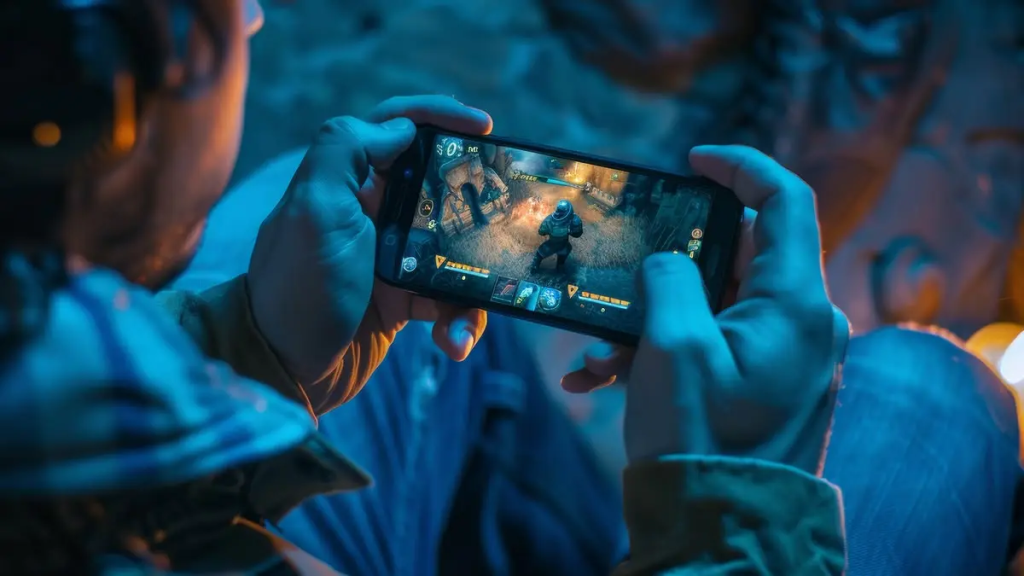
The first step in improving mobile gaming performance is optimizing your device. Many smartphones slow down because too many applications run in the background.
Follow these steps:
- Close unused applications before gaming.
- Clear cache memory regularly.
- Restart your phone before long gaming sessions.
- Update your operating system.
- Keep enough storage space available.
When your phone has more free memory and fewer active processes, games usually run smoother with fewer frame drops.
Adjust Graphics Settings Properly
High graphics settings may look attractive, but they can reduce performance on weaker devices. Many players make the mistake of selecting maximum graphics even when their phone cannot handle it properly.
Instead:
- Use medium graphics for balanced performance.
- Lower shadows and effects if lag appears.
- Increase frame rate settings when possible.
- Test different combinations for the best balance.
Smooth gameplay is often more important than visual quality during competitive matches.
Improve Internet Connection
Online games require stable internet connections. High ping and unstable networks can cause delays and poor reactions.
To improve internet performance:
- Use Wi-Fi instead of mobile data when possible.
- Sit closer to the router.
- Disconnect unused devices from the network.
- Restart your router regularly.
- Avoid downloading files while gaming.
A stable connection helps reduce lag and improves response times during multiplayer matches.
Customize Touch Controls
Default controls are not always comfortable for every player. Customizing layouts can improve speed and accuracy.
Important adjustments include:
- Resize buttons for easier access.
- Move action buttons closer to thumbs.
- Increase sensitivity gradually.
- Test different layouts during practice sessions.
Professional mobile gamers often spend significant time adjusting controls to match their personal playing style.
Use Gaming Mode Features
Many modern smartphones include built-in gaming modes. These features improve performance by reducing interruptions.
Gaming mode usually provides:
- Notification blocking
- Performance boosting
- Background app limitation
- Screen recording tools
- Network optimization
Activating gaming mode before starting a game can create a smoother and more focused experience.
Manage Battery and Heating
Overheating is a major problem during long gaming sessions. Excessive heat reduces performance and may damage device components.
To reduce overheating:
- Remove thick phone cases during gaming.
- Avoid charging while playing.
- Lower screen brightness slightly.
- Play in cool environments.
- Take short breaks after long sessions.
Battery management is equally important because high-performance gaming drains power quickly.
Use Headphones for Better Awareness
Audio is extremely important in many games. Footsteps, gunshots, and movement sounds provide valuable information.
Gaming with headphones can help players:
- Detect enemy locations faster
- Improve reaction times
- Focus better during matches
- Enjoy immersive sound effects
Even affordable headphones can improve awareness significantly.
Practice Finger Movement and Reflexes
Fast finger movement is essential in competitive mobile games. Many players lose fights because their reactions are too slow.
To improve reflexes:
- Spend time in training modes.
- Practice aiming daily.
- Learn movement combinations.
- Increase hand flexibility gradually.
Consistency is more important than long practice sessions.
Learn Game Maps and Strategies
Understanding maps gives players a huge advantage. Experienced gamers know where enemies usually appear and where useful items are located.
Good map knowledge helps players:
- Predict enemy movement
- Avoid dangerous areas
- Find better hiding spots
- Improve survival chances
Watching skilled players can also help beginners understand advanced strategies.
Keep Your Screen Clean
Dirty screens reduce touch sensitivity and visibility. Fingerprints can affect movement accuracy during important moments.
Simple cleaning habits improve gameplay:
- Wipe the screen before gaming.
- Use microfiber cloths.
- Avoid oily fingers while playing.
- Keep hands dry.
Small details often create noticeable improvements.
Use Airplane Mode for Offline Games
When playing offline games, enabling airplane mode can reduce distractions and improve battery life.
Benefits include:
- Fewer notifications
- Reduced background activity
- Better focus
- Longer battery duration
This trick works especially well for single-player games.
Enable High Refresh Rate
Phones with high refresh rate displays provide smoother visuals. If your device supports 90Hz or 120Hz displays, enabling these settings can improve gameplay fluidity.
Advantages include:
- Faster visual response
- Smoother movement
- Better aiming precision
- Improved gaming experience
However, higher refresh rates may consume more battery power.
Avoid Excessive Background Downloads
Background downloads consume internet speed and system resources. Many players experience lag because applications update automatically during gameplay.
Before gaming:
- Pause downloads
- Disable automatic updates
- Close streaming applications
- Turn off unnecessary syncing services
These steps help maintain stable performance.
Choose the Right Grip Style
Comfortable hand positioning affects reaction speed and control precision.
Popular grip styles include:
- Two-finger grip
- Three-finger claw grip
- Four-finger claw grip
Beginners usually start with two fingers, while advanced players often prefer claw techniques for faster actions.
Update Games Regularly
Game developers release updates to improve stability, security, and gameplay balance.
Benefits of updates include:
- Bug fixes
- Better optimization
- New features
- Improved compatibility
Outdated versions may cause crashes and performance issues.
Benefits of Mobile Gaming Tricks
Using effective mobile gaming tricks provides several advantages:
- Improves gameplay performance
- Reduces lag and frame drops
- Enhances reaction speed
- Extends battery life
- Prevents overheating problems
- Creates smoother controls
- Increases competitive advantage
- Improves internet stability
- Makes gaming more enjoyable
- Helps beginners learn faster
- Protects long-term device health
- Improves aiming accuracy
- Enhances sound awareness
- Saves money on unnecessary upgrades
- Increases confidence during matches
These benefits show why optimization and smart strategies matter for all types of players.
Disadvantages / Risks
Although mobile gaming tricks can improve performance, there are also some disadvantages and risks users should understand.
- Excessive gaming may cause eye strain.
- Long gaming sessions can reduce battery lifespan.
- Overheating may damage device hardware.
- Competitive gaming can increase stress.
- Some third-party optimization apps may contain malware.
- Using unofficial modifications may lead to account bans.
- High-performance settings can drain battery quickly.
- Poor posture during gaming may cause neck or hand pain.
- Addiction to gaming may affect daily productivity.
Players should maintain balance and avoid unsafe methods while improving their gaming experience.
Common Mistakes to Avoid
Many players unknowingly reduce their gaming performance because of simple mistakes. Avoiding these issues can lead to noticeable improvements.
Ignoring Device Temperature
Some gamers continue playing even when their phones become extremely hot. This can reduce performance and damage internal components.
Using Maximum Graphics Unnecessarily
Higher graphics settings are not always better. Smooth frame rates are usually more important than visual quality during competitive gaming.
Playing with Low Battery
Low battery levels often activate power-saving features that reduce gaming performance.
Ignoring Internet Quality
Many players blame games for lag when the real issue is unstable internet.
Using Cheap Fake Accessories
Low-quality chargers and accessories may damage devices and create safety risks.
Not Practicing Regularly
Skill improvement requires consistent practice. Playing occasionally may not improve performance significantly.
Overusing Optimization Apps
Too many cleaning or boosting applications can actually slow down devices instead of improving them.
Poor Hand Positioning
Uncomfortable grip styles reduce control accuracy and increase fatigue.
Playing Without Breaks
Continuous gaming for many hours may cause tiredness and slower reaction times.
Ignoring Game Tutorials
Tutorials often teach useful mechanics and strategies that beginners overlook.
FAQs
What are the best mobile gaming tricks for beginners?
Beginners should focus on optimizing device performance, adjusting controls, improving internet stability, and practicing regularly. Learning basic strategies and understanding game mechanics are more important than advanced techniques at the beginning.
How can I reduce lag while gaming on mobile?
You can reduce lag by closing background apps, using stable Wi-Fi, lowering graphics settings, clearing storage space, and updating your device regularly. Restarting your phone before gaming can also improve performance.
Do gaming phones improve performance significantly?
Gaming phones usually offer better cooling systems, stronger processors, and higher refresh rates. However, many standard smartphones can still provide excellent gaming performance with proper optimization.
Is high graphics better for competitive gaming?
Not always. Competitive players often choose lower or medium graphics to achieve smoother frame rates and faster response times.
How important is internet speed in online games?
Internet stability is extremely important. Even powerful devices cannot perform well if the connection is unstable or slow.
Can mobile gaming damage smartphones?
Heavy gaming can increase heat and battery usage, but proper care and responsible gaming habits help reduce long-term damage.
What is the best grip style for mobile gaming?
The best grip style depends on comfort and game type. Two-finger grip works well for beginners, while claw grips provide faster controls for advanced players.
Should I use third-party game booster apps?
Some trusted optimization apps can help slightly, but many unnecessary booster apps provide little benefit and may consume extra resources.
Expert Tips & Bonus Points
Experienced gamers often use small tricks that create major improvements during gameplay.
Warm Up Before Competitive Matches
Spend a few minutes practicing movement and aiming before entering ranked games.
Learn from Professional Players
Watching skilled players helps you understand positioning, timing, and advanced strategies.
Focus on Consistency
Consistent performance is more valuable than occasional impressive plays.
Upgrade Storage Wisely
Keeping enough free storage space helps phones maintain smoother performance.
Adjust Brightness Correctly
Very high brightness drains battery quickly, while extremely low brightness reduces visibility.
Use Do Not Disturb Mode
Notifications during important moments can distract players and cause mistakes.
Develop Muscle Memory
Repeated practice helps fingers react automatically during intense situations.
Take Care of Your Health
Healthy sleep, hydration, and posture improve concentration and reaction speed.
Avoid Cheap Internet Connections
Reliable internet services provide better stability for online gaming.
Stay Calm During Matches
Panic often leads to poor decisions. Calm players usually react more effectively under pressure.
Keep Learning New Strategies
Game updates frequently change mechanics and balance. Continuous learning helps players remain competitive.
Use Cloud Saving Features
Cloud saving protects game progress and prevents data loss during device changes.
Invest in Quality Accessories
Good headphones, charging cables, and screen protectors improve comfort and durability.
Understand Your Device Limits
Every smartphone has performance limitations. Choosing realistic settings creates better stability.
Practice Smartly Instead of Excessively
Focused practice sessions are more effective than playing for endless hours without improvement goals.
Conclusion
Mobile gaming continues to grow rapidly because smartphones allow players to enjoy games anywhere and anytime. However, success in mobile gaming depends on more than just downloading popular games. Players who understand useful mobile gaming tricks usually experience smoother gameplay, better reactions, and stronger overall performance.
Simple adjustments such as optimizing graphics settings, improving internet stability, customizing controls, and managing device temperature can significantly improve the gaming experience. In addition, consistent practice and smart strategies help players develop confidence and skill over time.
Whether you are a beginner learning the basics or an intermediate player trying to improve competitive performance, the techniques discussed in this article can help you become a smarter gamer. From reducing lag to improving aiming accuracy, every small improvement contributes to better results.